Getting Started: First Time Sign-in
The first time you sign-in to Polaris with valid Operator credentials, you will land on the Operator Screen and can see your Cluster Group ID#.

TOPIC FEATURES...
OVERVIEW OF THE USER SESSION IN POLARIS
The Polaris is a web-based access control solution that can be operated from a cloud or on-premise web server. Regardless of which solution you have, the operator login and system programming looks and functions the same way.
The Polaris system supports the Customer Operator’s ability to add all their hardware, panel, and board programming and configuring reader/door behavior in the system . Also the user can load flash and programming to the panels as well as enroll credentials.
ABOUT THE USER DASHBOARD
-
The user can perform all system programming for hardware from the User Dashboard.
-
The User Dashboard is the default landing page when an Operator signs-in to Polaris.
-
The User Dashboard displays the Operator List (menu tab) by default.
-
You can show/hide the Dashboard Tiles by clicking the Dashboard Show/Hide tile-button.
-
The menu bar allows the User to open different programming screens.
-
-
Notice that your Cluster Group ID is shown under your User Logo/Photo.
IMPORTANT: You same Group ID number must be programmed into every access panel (CPU) in your system, no matter which cluster the panel is in.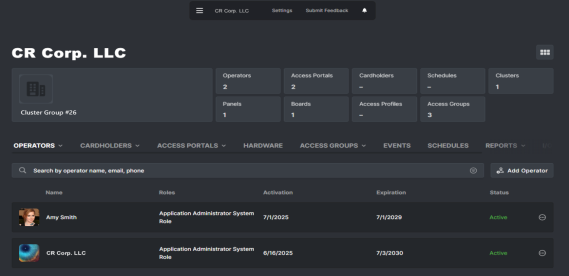
USER DASHBOARD > USER LOGIN OPENS TO OPERATOR SCREEN
SIGN-IN TO POLARIS (START A USER SESSION)
-
Open the Web Browser on your local computer.
-
Enter the POLARIS Web Address into the browser address bar to open the Polaris Home page.
https:polaris.galaxysys.com
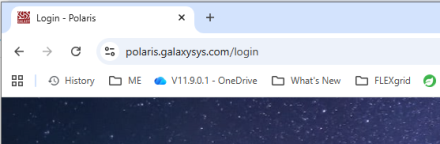
POLARIS: Browser URL / Login page
-
To start a User Session in Polaris, enter valid operator credentials as follows:
-
Enter the valid email address (system operator username).
-
Enter the valid password
-
Click the [ Sign In ] button.
RESULT: the User Dashboard will open for the system operator that is associated with the Operator Group ID.
.
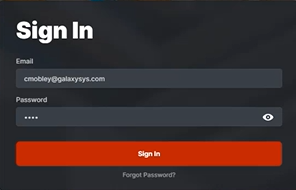
POLARIS: User Sign-in (Login Modal)
-
GO TO >